Live Streaming Guide
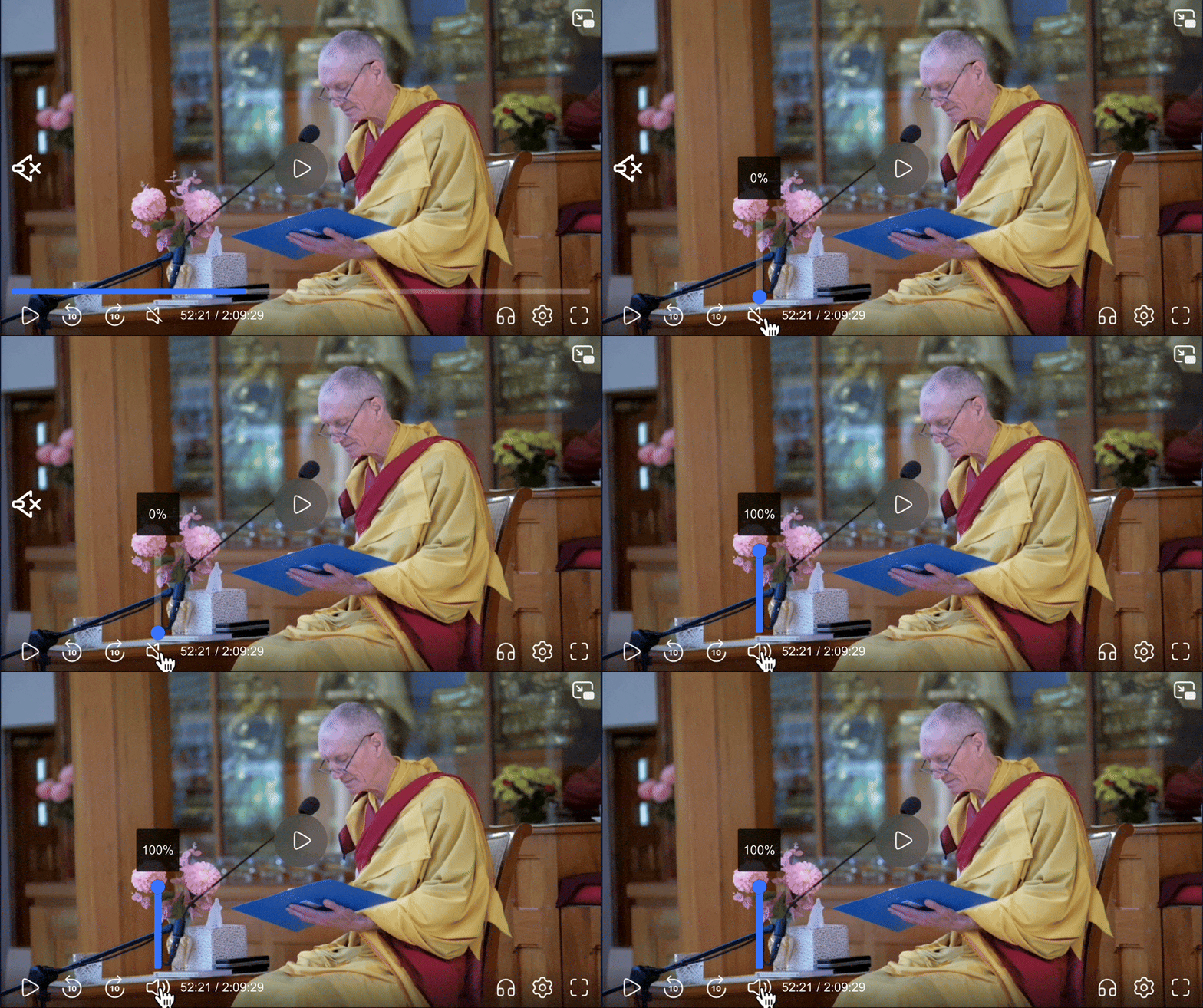
1. Unmute the Player
When the video starts, it will be muted. Click the speaker icon at the bottom right of the player to unmute the audio.
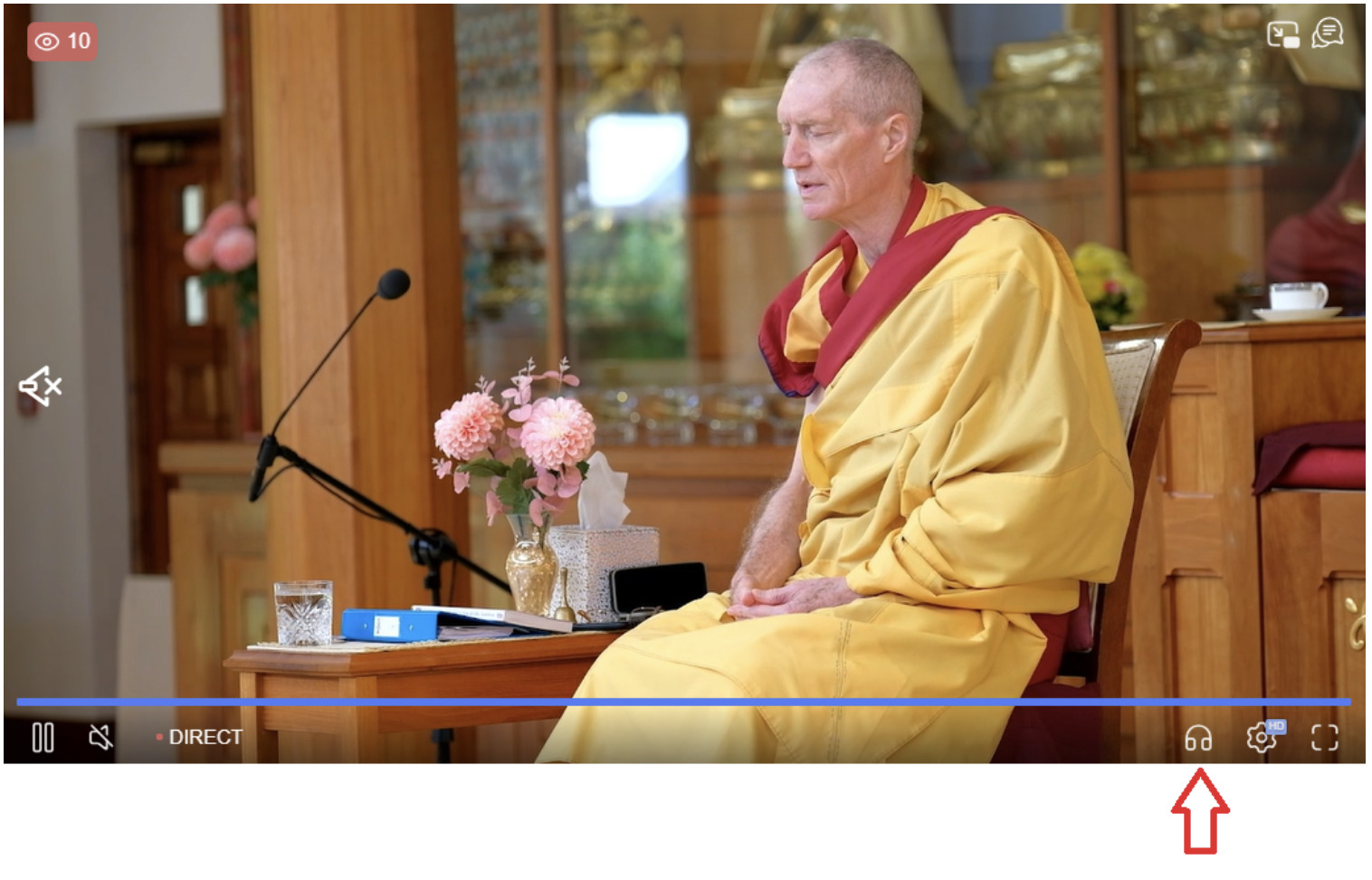
2. Change Language
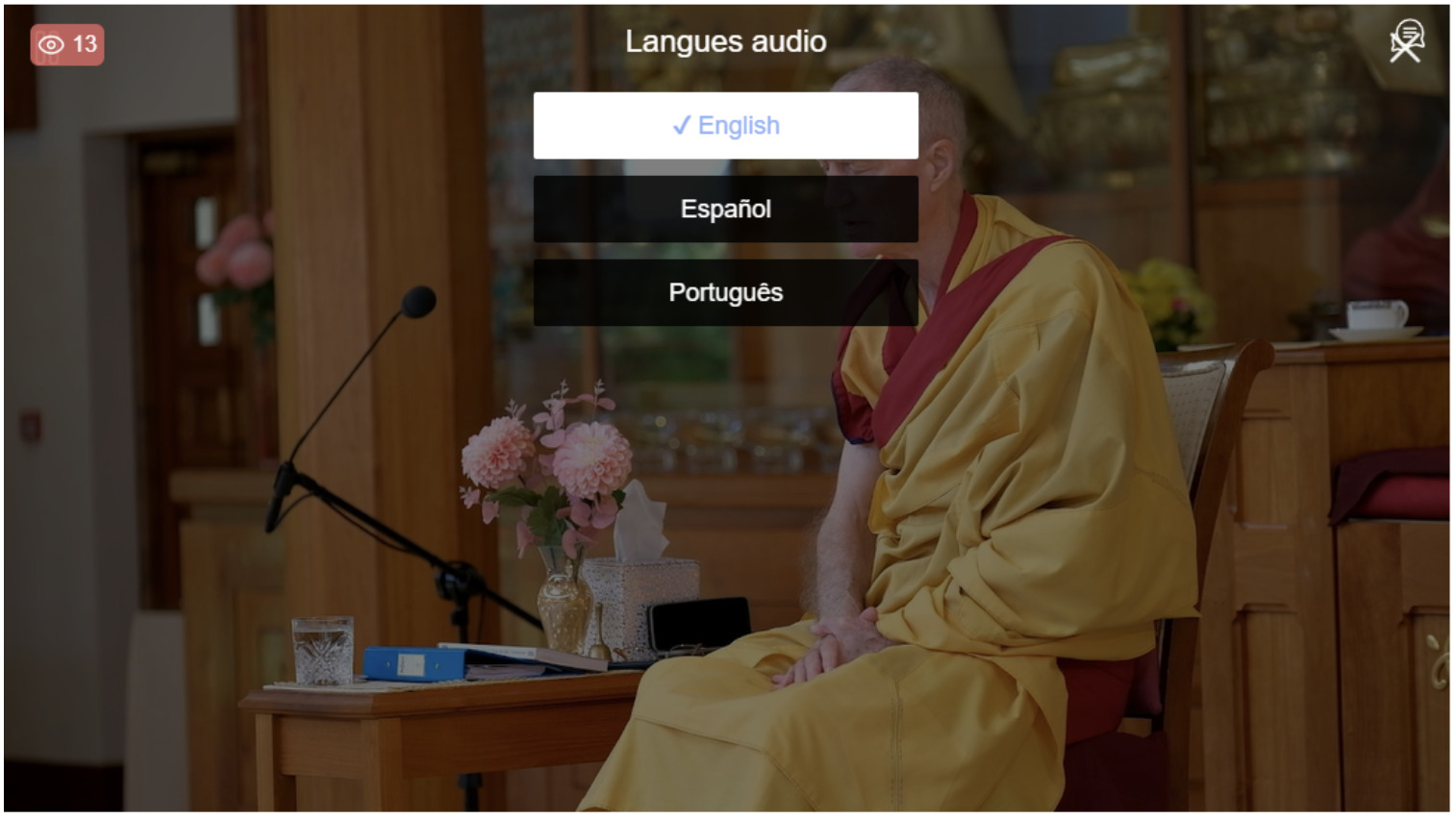
Look for the language settings icon (headphone icon on the bottom left of the player). Please note that on your smartphone, it may be necessary to be in landscape mode to be able to see this icon.
Click or tap the icon to choose your preferred language from the list of available options.
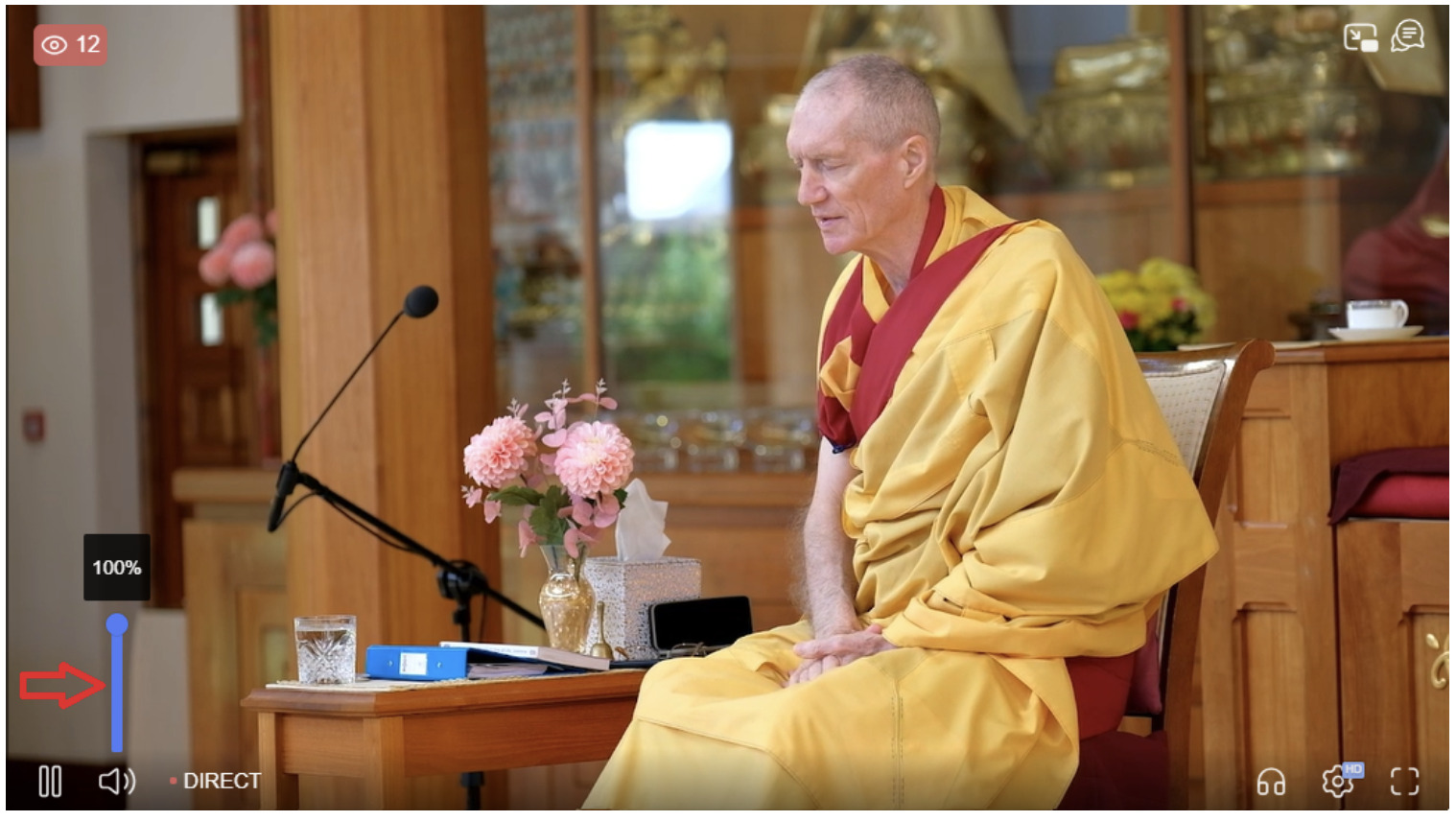
3. Adjust Volume
Desktop: Use the volume slider next to the speaker icon to adjust the volume to your liking.
Mobile: Tap the screen to reveal the volume controls, then slide to adjust the volume.
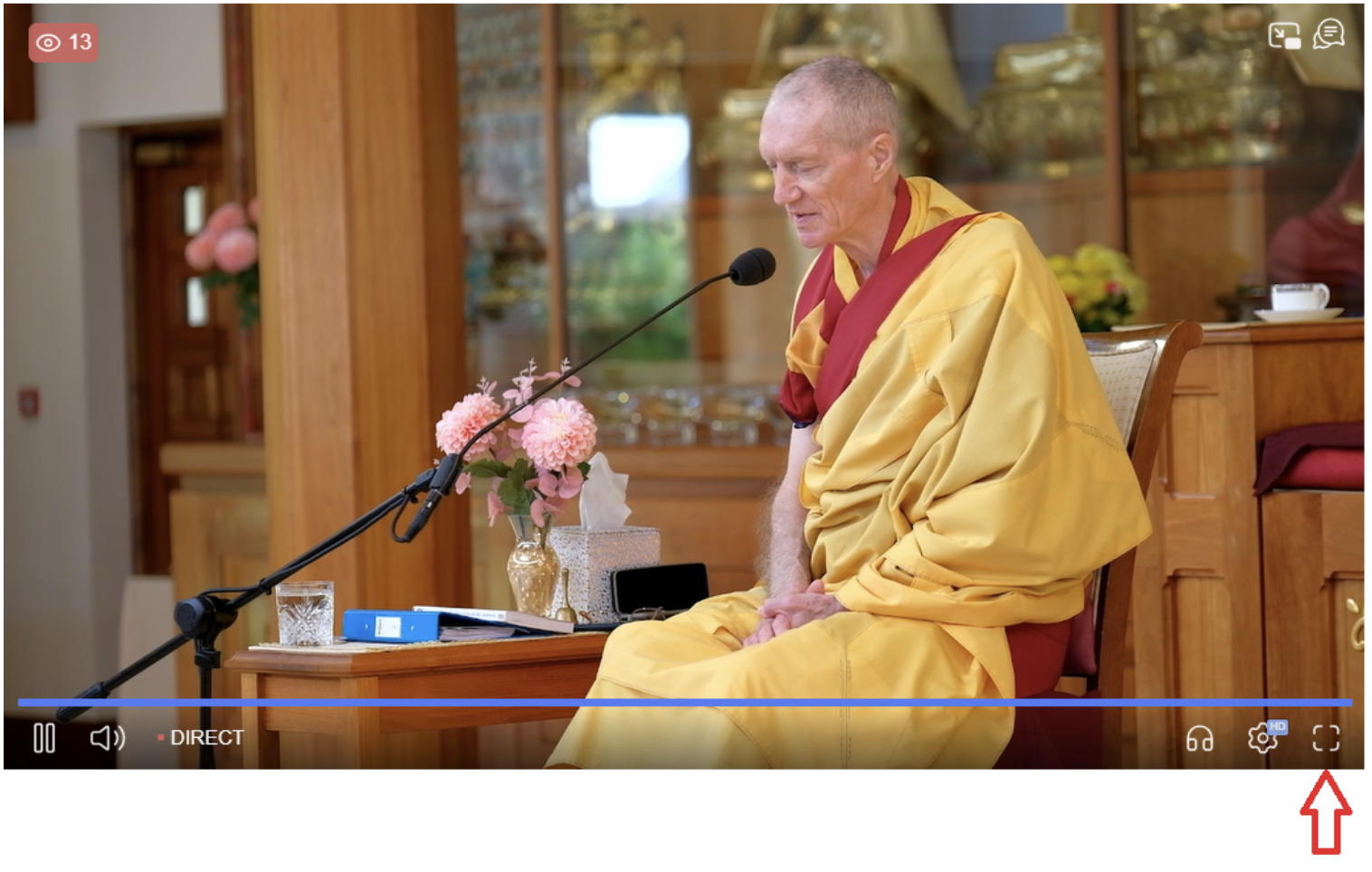
4. Full Screen Mode
Desktop: Click the full screen icon (usually found at the bottom right corner of the player) to enter full screen mode. Press the Esc key to exit full screen.
Mobile: Tap the screen to reveal the full screen icon, then tap it to enter full screen mode.
✅ Step-by-Step Guide
-
Go to the KBS Account Page
-
Select Your Language
You can change it later anytime in your User Profile.
-
Log In to Your Account
-
Click the “Log In” button
-
Enter the email address you used to register
-
Enter your password
-
-
Go to the “Video” Section
This is where you’ll find the festival recordings.
-
Choose a Video and Click “Watch”
Select your video and click the “Watch” button.
-
Watch the Video
The video will appear above the Event Schedule section.
-
Select Your Audio Language
Click the 🎧 headphone icon in the video player.
Note for iPhone users: The icon may look different depending on your iOS version.
⚠️ Important Notes
-
Audio Sync Issue on Safari:
We’ve noticed that audio and video may go out of sync in Safari.
For the best experience, we recommend using Chrome, Edge, or Firefox.
-
Livestream Option:
This window was originally for video recordings, but you can also watch the livestream here (instead of using the link in your confirmation email).
1. No Sound
- Check Device Volume: Ensure that your device's volume is turned up and not muted.
- Verify Player Settings: Confirm that the player is not muted by checking the speaker icon within the player controls.
- Test Browser Audio: Check your browser’s audio settings. You can do this by playing a video on another site, like YouTube, to see if sound works elsewhere. If sound works on other sites but not on the player, try refreshing the page or checking for player-specific issues.
2. Buffering or Poor Video Quality
- Check your internet connection. A stable and fast connection ensures the best viewing experience.
- Try refreshing the page.
- Close any unnecessary applications or browser tabs that might be using up bandwidth.
3. Player Not Loading
- Ensure your browser is up-to-date.
- Clear your browser's cache and cookies.
- Disable any ad-blockers or browser extensions that might interfere with the player.
4: The stream has stopped.
A: If the livestream stops unexpectedly, follow these steps:
- Refresh the Page: Often, a simple refresh can resolve the issue. Click the refresh button in your browser or press F5 on your keyboard (for windows) or Command R (on Mac).
- Check Your Internet Connection: Ensure you have a stable internet connection. Try disconnecting and reconnecting to your network, or use a wired connection for better stability.
A Video on Demand (VOD) recording of the session will be available shortly after the live event. So, don't worry if you miss any part—you'll be able to catch up at your convenience.
Q: I get a doubling of the sound
A: Please reload the player page. This should fix the issue.
Q: Can I rewind the livestream?
A: Yes you can rewind up to one hour.
Q: The stream is lagging. What should I do?
A: First, check your internet connection. If the connection is stable, try lowering the video quality by clicking the settings icon (usually a gear) and selecting a lower resolution.
Q: Can I ask questions or interact during the livestream?
A: No, you can’t interact during the livestream.
Q: Who can I contact for technical support?
A: If you are experiencing persistent issues, please contact our support team using the LiveChat box in the bottom right of your screen or contact [email protected].
We hope you enjoy the event! If you have any further questions, don’t hesitate to reach out to our support team.